
Introduction
Businesses rely on multiple systems to manage operations, from customer relationship management (CRM) to enterprise resource planning (ERP) and eCommerce platforms. When these systems are not connected, data becomes fragmented, updates are delayed, and decisions rely on incomplete information. Aonflow provides a secure, low-code integration platform that enables reliable data synchronization across business applications. This ensures that records stay consistent, accurate, and available wherever teams need them.
The Challenge: Keeping Data Consistent Across Applications
In modern organizations, each department often uses a specialized tool for its function—sales teams manage contacts in Dynamics 365 or Salesforce, finance teams operate in Business Central or QuickBooks, and marketing teams rely on HubSpot or WooCommerce for outreach and transactions. Although these tools are effective individually, maintaining synchronized data between them is complex.
Common issues include:
- Duplicate or outdated customer information.
- Delays in transferring sales data to accounting.
- Inconsistent order or inventory records.
- Manual reconciliation between systems for reporting.
Without synchronization, each department works from different versions of the truth, leading to errors and operational inefficiencies. Aonflow was developed to solve these problems through structured, automated, and secure data synchronization.
How Aonflow Synchronizes Data Across Systems

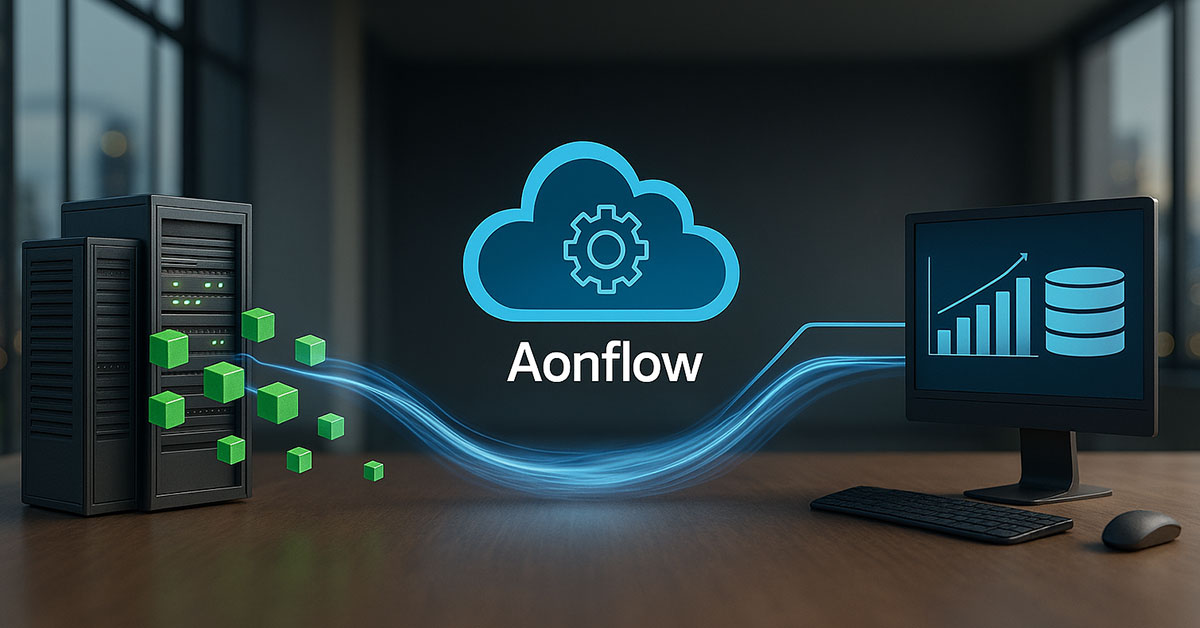
Aonflow connects applications through verified API-based connectors. These connectors exchange data automatically using predefined workflows configured through a low-code interface. The platform allows users to define:
- Source and destination systems (e.g., HubSpot to Dynamics 365, Business Central to Salesforce).
- Trigger conditions (such as record creation or update).
- Field mappings (matching specific data fields between systems).
- Filters and validation rules (ensuring only relevant data is synchronized).
Aonflow’s synchronization process is designed to be near real time. When a change occurs in one system, the connector identifies it through timestamp-based detection and replicates it in the target system based on the defined mapping.
Workflow Example: Multi-System Synchronization
- Trigger Identification: Aonflow monitors source systems for data changes.
- Data Retrieval: Updated or new records are retrieved through authenticated API calls.
- Validation: Each record is checked for required fields, correct formatting, and data type consistency.
- Mapping: The data is matched to the appropriate fields in the destination system.
- Transformation (if needed): Values are adjusted to meet the format or naming conventions of the destination platform.
- Transfer: Aonflow transmits the data securely using encryption.
- Logging: Every synchronization event is recorded for transparency and troubleshooting.
This process ensures that critical data—such as customers, orders, invoices, and payments—remains consistent across all connected applications.
Key Capabilities of Aonflow’s Synchronization Engine
1. Prebuilt Connectors
Aonflow includes prebuilt connectors for popular business applications such as Dynamics 365, Business Central, Salesforce, HubSpot, QuickBooks, and WooCommerce. These connectors reduce setup time and provide tested compatibility for reliable synchronization.
2. Bidirectional Sync
The platform supports two-way data synchronization, allowing both systems to send and receive updates automatically. This prevents data discrepancies and maintains alignment between front-office and back-office systems.
3. Incremental Data Updates
Instead of transferring entire datasets, Aonflow synchronizes only changed or new records. This approach improves performance and minimizes network load.
4. Data Filtering and Segmentation
Administrators can define filters to synchronize only specific records, such as customers from a particular region or transactions within a date range.
5. Secure Communication
All data exchanges occur over encrypted channels, and access is controlled through authentication tokens and role-based permissions.
6. Low-Code Configuration
Aonflow’s interface enables business users to design, edit, and monitor synchronization flows without coding skills.
7. Real-Time Monitoring and Error Handling
Each integration provides detailed logs of successful and failed transactions. In case of a mismatch or missing data, Aonflow flags the record and allows corrective actions without stopping other processes.
Benefits of Using Aonflow for Data Synchronization
1. Improved Accuracy
Automated synchronization eliminates manual entry errors and ensures that every system uses the same verified information.
2. Enhanced Operational Efficiency
Departments no longer need to exchange spreadsheets or manually update records. Data flows automatically between systems, saving time and improving productivity.
3. Unified Reporting
When all systems share the same data, reporting becomes faster and more reliable. Managers gain real-time visibility into key metrics without manual consolidation.
4. Faster Decision-Making
Consistent and current data allows leadership teams to make informed decisions quickly.
5. Scalability for Future Growth
Aonflow’s architecture supports additional connectors and higher transaction volumes as organizations expand.
6. Reduced IT Overhead
Since Aonflow is low-code, most synchronization tasks can be handled by business users. IT teams remain focused on strategic projects instead of managing data transfers.
Example: Cross-System Synchronization in Action

A retail organization uses Dynamics 365 for CRM, Business Central for ERP, and WooCommerce for online sales. Before implementing Aonflow, customer and order data were updated manually in each system. This caused delays in invoicing and inconsistent inventory reporting.
With Aonflow, all systems now share synchronized records. New customers created in WooCommerce appear automatically in Dynamics 365 and Business Central. Orders and stock updates are reflected instantly across systems. The company achieved consistent reporting and reduced manual work significantly.
Integration Within Aonflow’s iPaaS Ecosystem
Aonflow’s synchronization engine operates as part of its larger integration platform-as-a-service (iPaaS). All connectors use the same secure framework, allowing businesses to manage multiple integrations from a single dashboard. Each connector—whether for CRM, ERP, or accounting—uses the same standards for mapping, monitoring, and data governance.
This unified approach reduces the complexity of managing separate integrations across departments and ensures consistent control over enterprise data.
Conclusion
Data synchronization is a core requirement for connected business operations. Aonflow delivers a functional, secure, and scalable solution for synchronizing data across CRMs, ERPs, and eCommerce platforms. Its prebuilt connectors, low-code configuration, and monitoring capabilities allow organizations to maintain data accuracy without manual effort.
By ensuring that each system operates with the same real-time information, Aonflow supports better collaboration, faster reporting, and more efficient decision-making. The synchronization engine is live and available for deployment through Aonflow’s iPaaS platform.
For more details, visit www.aonflow.com.
Aonflow iPaaS – Free for First 3 Months!
Build and run up to 1,500 transactions monthly with no cost. No payment info needed!