
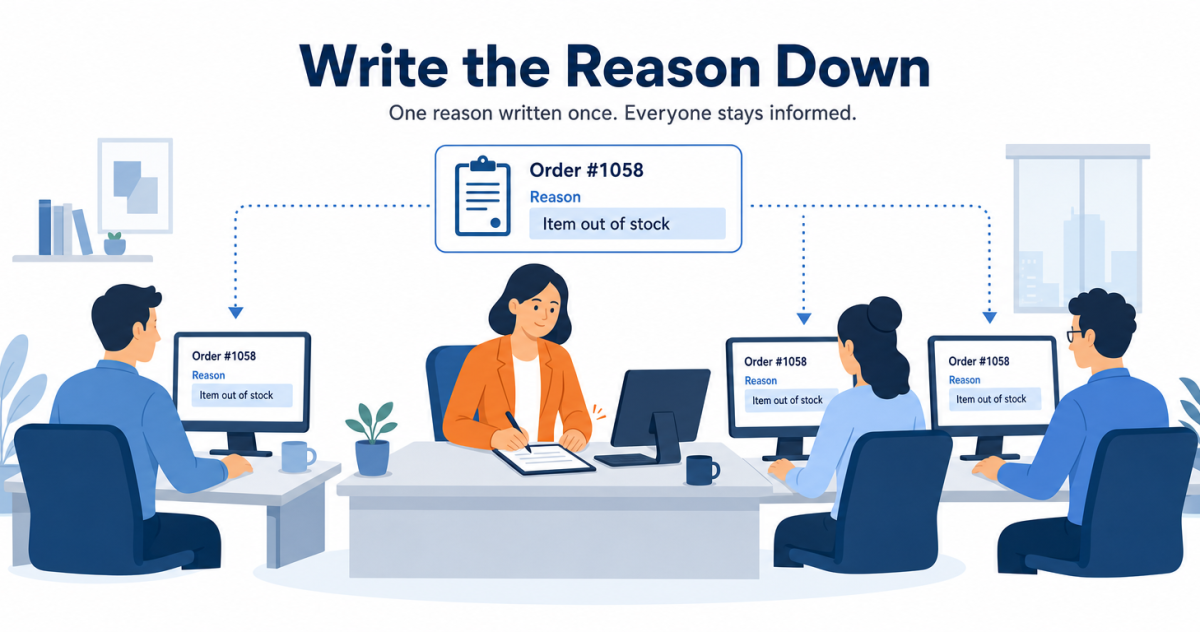
It is Tuesday morning, and your operations lead has 11 unread messages. Nine of them say some version of “any update on this order?” Three are about the same order, from three different people: the account manager, the customer success manager, and the sales rep who closed the deal.
That inbox costs more than a busy morning. Every answer pulls a planner off the work that actually ships orders. Each reply stays correct only until the next change, and it lives in one person’s chat history. So the customer hears “end of the month” from one of your people and “early November” from another. And when the date finally slips past month end, the forecast still counts revenue that won’t land until next period.
Most teams respond by syncing shipments into the CRM. That helps, but it doesn’t stop the messages. A synced shipment answers “did it ship?” It cannot answer the question behind most of those messages, “why is the rest late, and when will it ship?”, because nobody ever wrote that answer anywhere a system can read. Aonflow connects Business Central and HubSpot with pre-built connectors and near real-time data sync, so shipment and fulfillment updates reach the people who talk to customers, including the delay reason operations used to answer by hand, once operations writes it on the order.
This is for the leader who just connected Business Central and HubSpot and now answers for both sides: the COO, the CIO, or the IT head who owns the project. The design holds whichever integration platform you use.
Before you tell your teams they can stop messaging operations, settle these six decisions:
- The five questions: list what customer-facing teams ask operations, and name the field that answers each one.
- The promise, not just the shipment: send the current promised date for every open line, not only shipments that already happened.
- The delay reason: give operations one place on the order to say why a date moved, so they answer once instead of once per person.
- Promise-change alerts: tell the account owner when a promised date moves, before the customer asks.
- Forwardable updates: make every update complete enough to pass to the customer as it stands.
- Which period a slipped shipment lands in: flag any promise that moves across a month end, because the forecast moves with it.
What Does Every “Any Update?” Message Cost?
More than the ten seconds it takes to send. A planner has to open the order, check the lines, check the purchase order behind the missing stock, and type a reply. Then do it again for the next order, and the next person.
The cost lands in three places:
- Operations capacity. The people who know where stock is spend their mornings as a help desk.
- One story to the customer. Three people asking means three answers, given at different times, and they drift apart.
- Forecast accuracy. A slipped date that lives in a chat thread never reaches the pipeline report.
The Five Questions
Customer-facing teams ask operations the same five things. So start the design with the questions, not the fields. For each one, find where Business Central keeps the answer and decide what HubSpot should show:
| The question | Where the answer lives in Business Central | What HubSpot shows on the deal |
|---|---|---|
| Has it shipped? | The posted sales shipment and its posting date | Shipped date, per shipment |
| How do I track it? | The shipping agent and package tracking number on the posted shipment | Carrier and tracking link |
| What’s still open? | Each line’s ordered quantity against its shipped quantity | Open quantity |
| When will the rest ship? | The open line’s shipment date and planned delivery date | Promised date |
| Why did the date move? | Nowhere, until someone writes it down | Delay reason |
Four rows have a home. The fifth doesn’t, and it drives most of the messages in that Tuesday inbox.
The Promise, Not Just the Shipment
It is tempting to treat shipment updates as news about the past. A box left, so tell sales. But most “any update?” messages concern orders that haven’t fully shipped. The person asking wants the future: the date the rest will go.
Business Central already holds that date. If the customer requests no delivery date, Business Central enters the earliest available date as the line’s shipment date. It then adds outbound warehouse handling time to get the planned shipment date, and shipping time to get the planned delivery date (Microsoft Learn: Delivery date calculation for sales).
So the flow reads open lines as well as posted shipments, and sends the planned delivery date to HubSpot as the promise. Each flow then has one job. The shipment flow reports what happened. The promise flow publishes what operations has committed to, and HubSpot consumes it.
The Delay Reason
A date that moves without a reason starts a conversation instead of ending one. The account manager sees “November 4” where it said “October 28” and messages operations anyway, because the customer will ask why.
The Rule: you can sync a shipment, but you can’t sync an answer nobody wrote down, so the questions to operations stop only when the delay reason lives on the order.
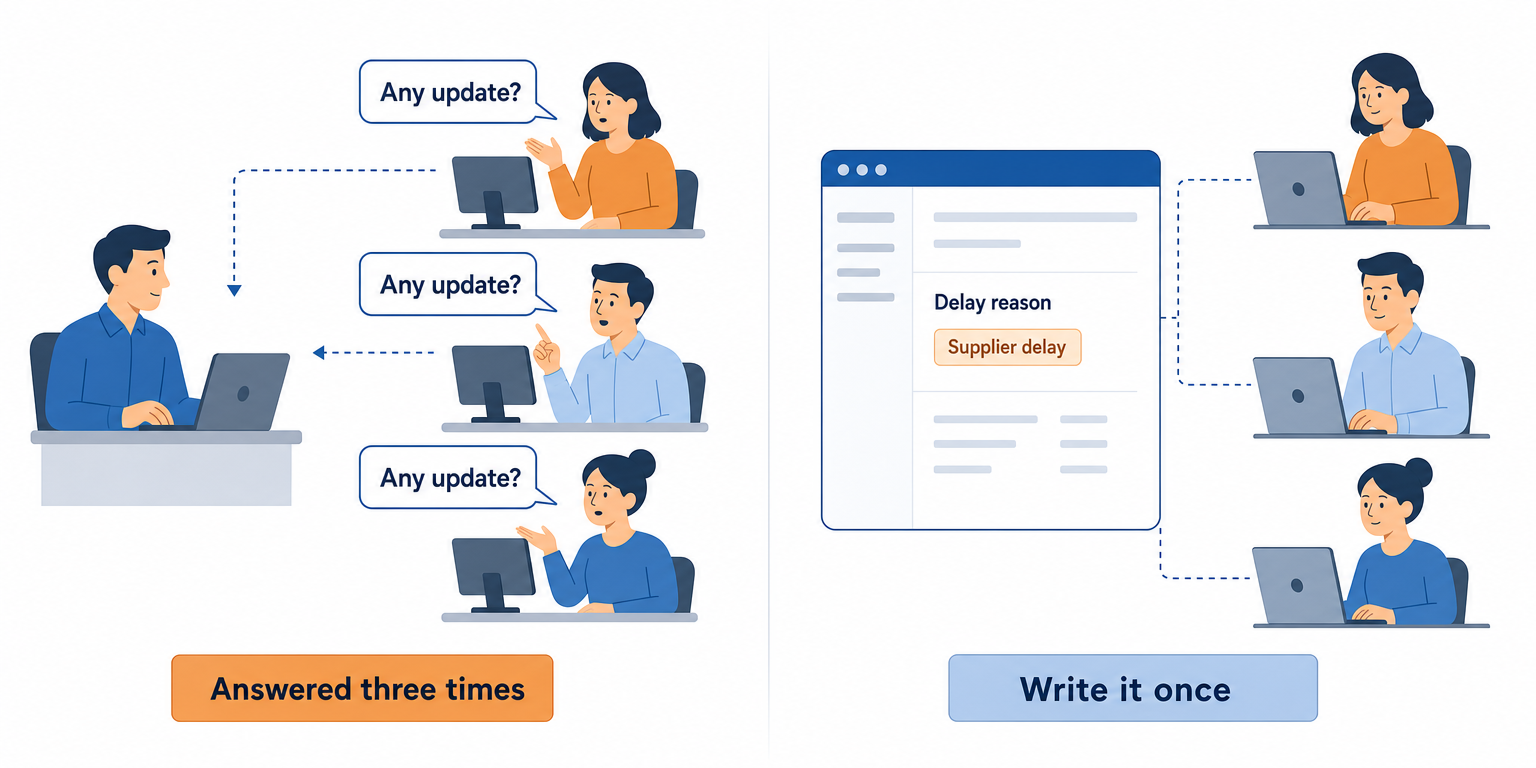
So give operations one short pick-list on the Business Central order: supplier delay, stock count, carrier pickup, credit hold, customer request. Whenever they move a date, they pick a reason. The flow carries it to HubSpot beside the new date. Operations answered three times before. Now they write it once, and everyone reads the same answer.
Here is advice that has nothing to do with software: keep the list to six reasons or fewer, and let your operations lead name them. A list they wrote is a list they will use.
Promise-Change Alerts
The natural instinct is to alert on everything: every shipment, every date change, every line. Within a week, people mute the channel, and the one alert that mattered goes unread.
Alert on one event instead: a promised date that moves. The flow compares each new promised date with the one already on the HubSpot deal. When they differ, it sends one alert to the account owner with the old date, the new date and the reason. Shipments don’t need an alert, because the deal already shows them.
That alert marks the moment the account owner should call the customer. It reaches them before the customer notices anything.
Forwardable Updates
A tracking number on its own is homework for the customer. They have to work out the carrier, find its website and paste the number in.
Business Central lets you store an Internet address for each shipping agent. If the agent offers online package tracking, that address lets you use Business Central’s package tracking feature (Microsoft Learn: Set Up Shipping Agents). Staff can also add the package tracking number to a posted shipment after posting, through its Update Document action. Microsoft itself notes that tracking information helps when providing customer service (Microsoft Learn: Track packages).
So send the carrier and a ready-made tracking link, not a bare number. Send what shipped, what’s still open, and the promised date for the rest in the same update. Then apply one test: could the rep paste this into an email to the customer without editing it? If not, the rep goes back to operations to fill the gap.
Which Period a Slipped Shipment Lands In
At month end, a moved promise stops being a service question and becomes a forecast question. If 100 units were due to ship October 28 and now ship November 2, that revenue moves to November.
| Situation | What happens to the period | What the flow does |
|---|---|---|
| The promise moves, but stays inside the month | Nothing | Alerts the account owner only |
| The promise moves across a month end | Expected revenue moves to the next period | Copies the sales leader and finance on the alert |
| The flow is down over a month end | Updates arrive late | Replays changes in date order, each keeping its Business Central date |
The last row is the catch-up rule. Reports always use Business Central’s dates, never the time an update reached HubSpot. Otherwise an outage quietly moves October activity into November.
How Aonflow Delivers Shipment and Fulfillment Updates to HubSpot
With those decisions made, the build is configuration, not a development project. Each capability ties back to a decision above.
Aonflow lets teams:
- Connect Business Central and HubSpot with pre-built connectors, so each of the five questions gets its answer on the HubSpot deal.
- Use AI-assisted mapping to line up open quantities, promised dates and the delay reason with HubSpot properties, which reduces integration time by more than half.
- Build the promise comparison into one workflow, so a promise-change alert fires only when a promised date actually moves.
- Deliver alerts through the Microsoft Teams connector to the account team’s channel, naming the deal owner, and copy the sales leader when a promise crosses a month end.
- Keep the deal current with near real-time data sync, so a date operations changes at 10 am is on the deal before the account manager’s 11 am call.
- Watch every run with dashboards, logs and alerts, so a failed run reaches the flow owner instead of quietly sending reps back to operations.
Aonflow connects and orchestrates the systems you already run. Business Central still owns the shipments and the dates. HubSpot still owns the customer conversation.
A Worked Example: One Backorder, Three Askers
A customer orders replacement valve kits at $84 each on September 28. Here is how the order runs:
- 250 kits ordered, $21,000 in total.
- 150 kits shipped on October 5. The tracking number goes in the next morning.
- 100 kits open, waiting on a supplier, promised for October 28.
- Supplier delay on October 20. Operations moves the line to ship November 2.
- Promised November 4, the new planned delivery date.
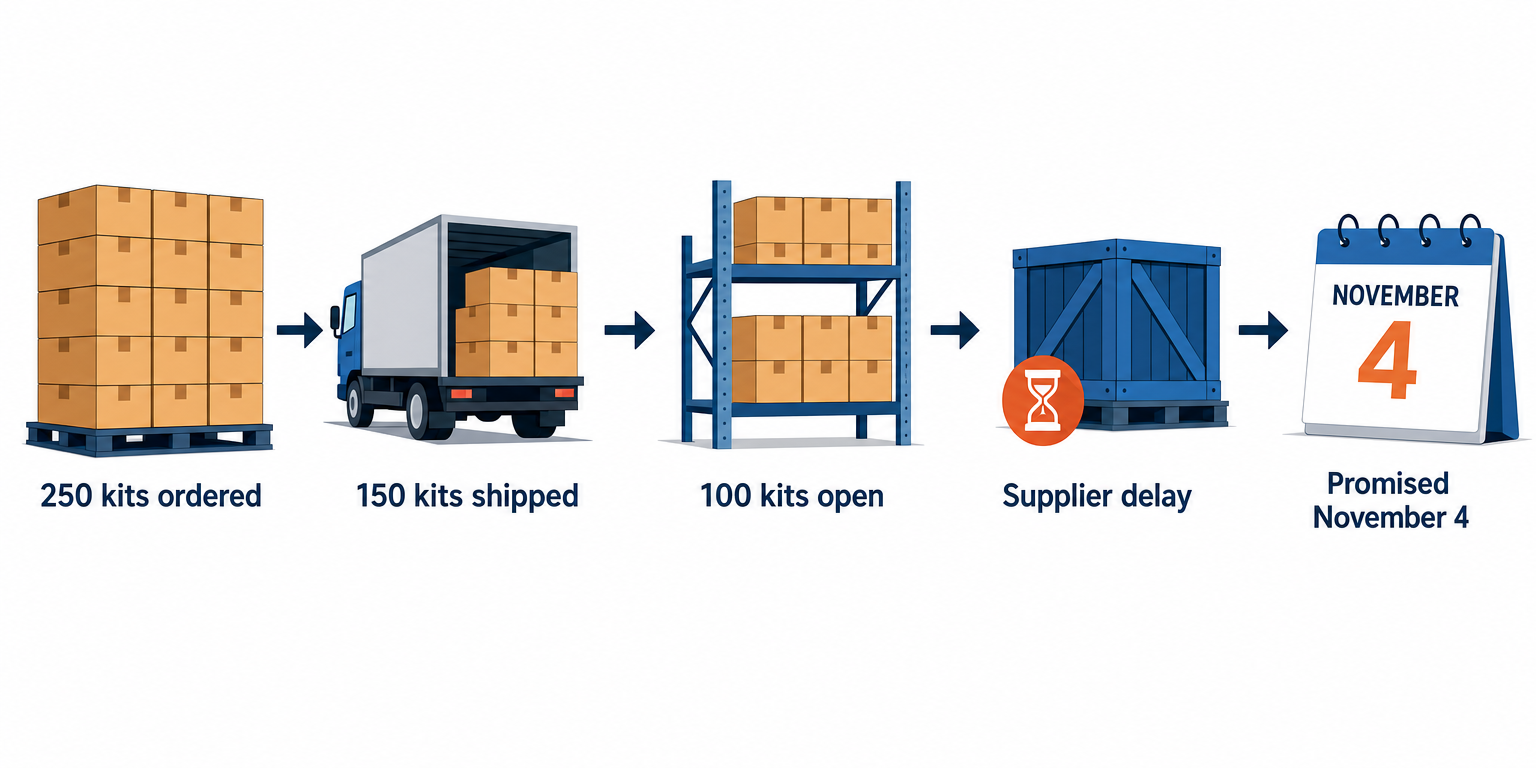
Before the flow, three people messaged operations about this order in the week of October 19. The customer heard two different dates.
After the flow, operations picks “Supplier delay” once. HubSpot shows 100 kits open, promised November 4, with the reason beside it. The account owner gets the alert that morning and calls the customer first. Because the new date crosses October’s close, the sales leader sees $8,400 move from October to November, eleven days before close instead of at it.
Who Owns This When It Breaks
Who owns the flow? Sales operations owns what HubSpot shows. A named operations owner in Business Central owns the dates and the delay-reason list.
Who gets alerted when it fails? The flow owner, on the first failed run. Aonflow’s logs and alerts show which run failed.
Where do failed records wait for review? Shipments and order lines that match no HubSpot deal wait on an exception list. The flow owner reviews it every morning.
Then wire these escalation triggers:
| Trigger | Who acts |
|---|---|
| A posted shipment matches no HubSpot deal | Sales operations |
| An open line’s promised date passes with no shipment and no delay reason | Operations owner |
| A promised date moves across a month end | Sales leader and finance |
FAQ
How does a shipment find the right HubSpot deal?
Carry the HubSpot deal ID on the Business Central order, for example in its external document number. The posted shipment carries both the order number and an external document number (Microsoft Learn: salesShipment resource type), so the flow can match on either.
Can’t we just give sales a Business Central login?
You can. But a login only answers what Business Central already holds, and the delay reason still isn’t there. People who open a system twice a month also rarely find their way around it.
Can reps overwrite the synced fields in HubSpot?
On Enterprise subscriptions, HubSpot lets Super Admins limit who can view or edit a property. HubSpot itself says the restriction isn’t a security measure (HubSpot Knowledge Base: Manage view and edit access for properties). So treat the flow as the owner: the next update from Business Central replaces any manual change.
Does this work if a 3PL ships for us?
Yes, as long as the 3PL’s confirmations come back into Business Central first, so there is still one source. Connecting a 3PL to your ERP is one of Aonflow’s standard use cases. The HubSpot flow then reads Business Central as usual.
Conclusion
The messages to operations stop when HubSpot answers all five questions, not four. Settle the five questions, send the promise and not just the shipment, write the delay reason down, alert on promise changes, make every update forwardable, and flag the promises that cross a month end. This week, count the “any update?” messages your operations lead receives and sort them by question. The count tells you which field to build first.
Get Started with Aonflow iPaaS – Free Trial Available!
Build and deploy your integrations at zero cost. No credit card required!