

A facilities contractor signs your quote for 120 pleated air filters at $14.00 each. The total is $1,680. Two days later your warehouse ships 120 cases, which is 1,440 filters, and finance invoices $18,144. Nobody typed a wrong number. The quote said “120”, and NetSuite sells that item by the case of 12.
The cost runs well past one return shipment. Operations pays freight twice, and finance credits the invoice. Worse, the customer now checks every quote line by line, which adds days to every deal. And it will happen again. Nothing on the quote line says which item, unit or price it came from.
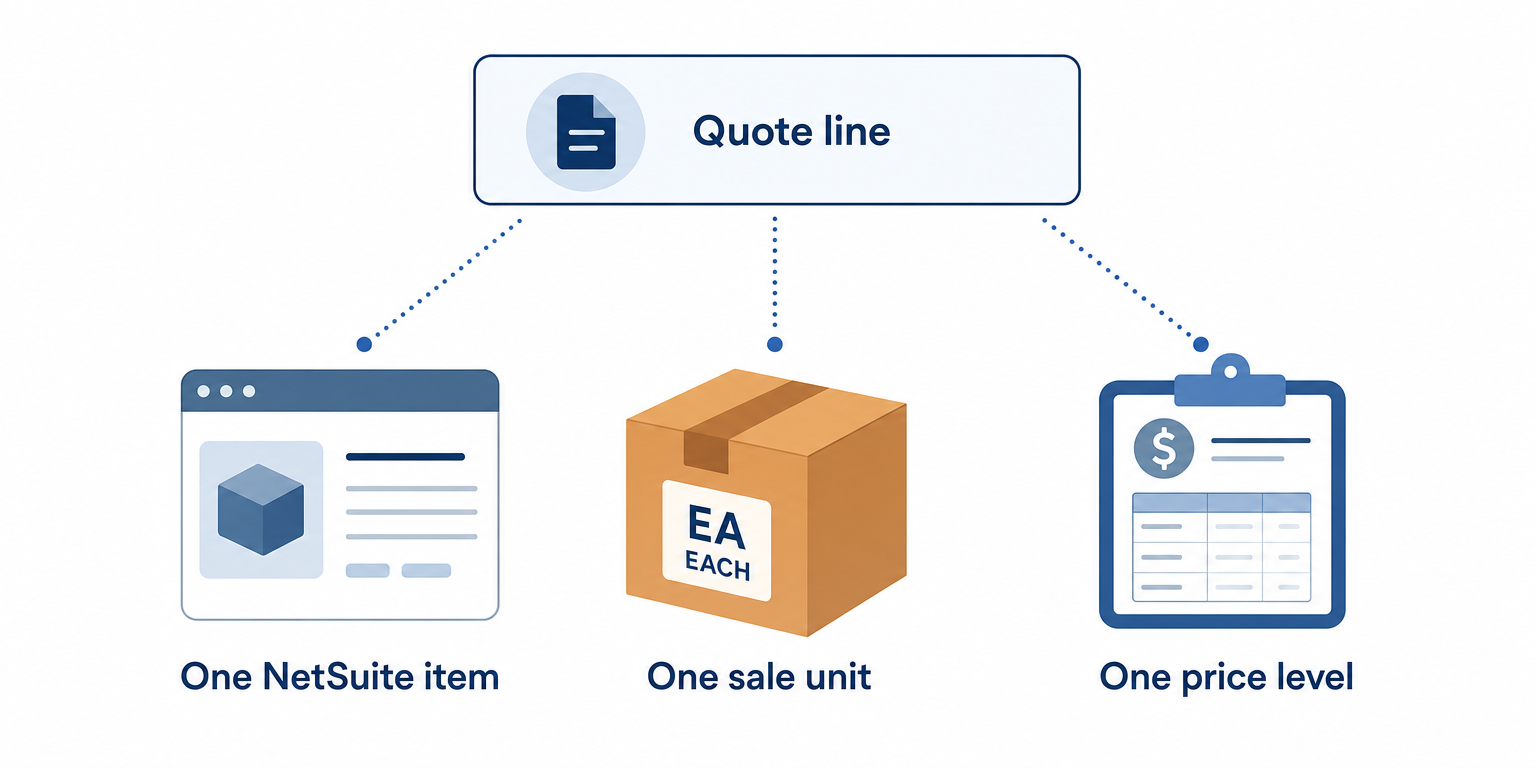
Product and item synchronization fixes this only if it carries more than a name and a price. A price on a quote is a reference, not a number. Aonflow connects HubSpot and NetSuite with pre-built connectors and near real-time data sync. Every quote line then points back to one NetSuite item, one sale unit and one price level.
This is for the leader who just connected HubSpot to NetSuite and now answers for what sales sends to customers: the CIO, the IT head or the operations executive who owns the project. The design holds whichever integration platform you use.
Before reps send another quote from HubSpot, settle these five decisions:
- Internal ID as the match key: every HubSpot product carries the NetSuite item’s internal ID. Systems match on that, not on the SKU.
- Price per sale unit: the product is priced in the unit NetSuite sells, and the unit is in its name.
- Price level on every line: each quote line records the NetSuite price level its price came from, and the flow checks it.
- Library lines only: reps quote from the synced product library, and a custom line waits for review.
- Quote price holds until expiry: a published quote keeps its price until it expires, even across a price change.
What a Wrong Quote Line Costs You
Your customer never sees your item master. They see the quote, and it is the document they sign. The sales order, the packing slip and the invoice all get compared against it.
So a quote line error never stays a sales problem. The cost lands in three places:
- Credits and returns. Finance reverses an invoice, and operations pays freight both ways.
- Prices you never meant to offer. When the quote says less than NetSuite, you usually honor it.
- Quotes nobody trusts. Once a customer catches one error, they check every line. Your sales cycle grows to match.
Why Does a Quote Line Need a Reference, Not Just a Price?
Because a number alone can’t be checked. “$14.00” is right for one item, sold in one unit, to one kind of customer. Strip those away, and nobody can tell whether it is right.
It is tempting to treat a quote as a simple copy of the catalog. That is close to how HubSpot works. A product added to a quote becomes a line item specific to that quote. Once the quote is published, its line items are frozen. Apart from one update back to the deal when a quote is finalized, nothing keeps line items in sync between records (HubSpot: Use line items).
The freeze is right, because a signed price shouldn’t move. However, a line that holds only a name, a SKU and a price has lost its thread back to NetSuite.
The Rule: a price on a quote is a reference, not a number. If a line can’t point back to one NetSuite item, one sale unit and one price level, nobody can prove it is right, including the customer who signs it.
Internal ID as the Match Key
SKUs look like keys, but they aren’t. People rename them, reuse them, and type them with a stray space. NetSuite gives every record an internal ID. It is permanent, so it stays put when someone edits the record (Oracle NetSuite Help: Exposing Internal IDs and Field IDs). Match on that.
HubSpot makes the ID easy to carry. A custom property you add to products is also added to line items (HubSpot: Create and manage products). So the NetSuite ID travels from the product onto every quote line built from it:
| NetSuite item | HubSpot product | The decision |
|---|---|---|
| Internal ID | A custom “NetSuite item ID” property | The key both systems match on |
Item Name/Number (itemid) |
SKU | What reps and customers read |
| Item name and sale unit | Name | The unit is part of the name |
| Price at the Base Price level, per sale unit | Price | A starting price, never a customer’s price |
Then let only the integration create products. Nobody adds one by hand.
Price per Sale Unit
A price means nothing until you know what it buys. In NetSuite, with multiple units of measure in use, an item’s sale unit is the default when it goes on a sales transaction. The item’s sale price displays per that unit as well (Oracle NetSuite Help: Assigning Units of Measure to Items).
HubSpot’s default product properties include no sale unit (HubSpot: Default product properties). So put the unit where a rep can’t miss it, in the product name: “Pleated air filter 20x20x1, case of 12”. Then price the product per case, the way NetSuite does: $168.00, not $14.00.
Here is the difference, side by side:
- Priced per filter: the rep quotes 120 at $14.00, and NetSuite reads 120 cases. The warehouse ships 1,440 filters.
- Priced per case: the rep sees “case of 12” at $168.00 and quotes 10 cases. The warehouse ships 120 filters.

Price Level on Every Line
NetSuite rarely charges every customer the same price. With multiple pricing on, you create price levels as a markup or discount from the Base Price. Contractors might get 10% off (Oracle NetSuite Help: Creating Price Levels). Each customer record carries a price level. A level set for one item on that customer overrides it (Oracle NetSuite Help: Setting Up Price Levels for Customers).
A HubSpot product’s flat price, by contrast, is one figure per currency. So the quote line needs one more reference: the price level. The flow writes it onto each draft quote line. Then it checks the price against NetSuite before the quote goes out.
| Price level on the line | Where the price comes from | What the flow checks |
|---|---|---|
| Base Price | The item’s base price | The line matches NetSuite’s base price |
| The customer’s level, such as Contractor | The customer record, or an item-level override | The line matches that level’s price |
| Custom | A rate the rep negotiated | A discount reason is present, then it goes to review |
The Custom row mirrors NetSuite, where a transaction can carry a Custom price level with the agreed amount as its rate. If you run HubSpot price books, mirror the levels reps quote from. Quotes inherit the deal’s price book (HubSpot: Create and manage price books), so reps start from the right number.
Library Lines Only
HubSpot lets a rep add a custom line item that exists only on one quote. It even offers a checkbox to save that line to the product library (HubSpot: Create and send quotes). That is how a second catalog starts: one urgent deal, and one product with no NetSuite item behind it.
A custom line has no NetSuite ID, so it can’t pass the check. Treat it as a request, not a line. The flow lists every custom line for sales operations before the quote goes out. Someone then maps it to a real NetSuite item. To go further, HubSpot: Use line items with deals lets you turn off a rep’s “Create custom line items” permission.
Quote Price Holds Until Expiry
Prices change, often on January 1. That is where this stops being a sales question and becomes an accounting one. A HubSpot quote carries an expiration date in its header (HubSpot: Create and send quotes), so make that date the end of your price promise.
Say the Base Price for the filter case rises from $168.00 to $180.00 on Friday, January 1, 2027. The Contractor price then moves from $151.20 to $162.00:
| Situation | Price on the quote | What happens |
|---|---|---|
| Published Friday, December 18, expires Sunday, January 17, accepted Wednesday, January 6 | $151.20 | The order carries the quoted rate as a Custom price, with Contractor recorded as its source |
| Drafted Monday, January 4 | $162.00 | The new price, matching NetSuite |
| Drafted while the price sync was down, December 31 to January 4 | $151.20 until recovery | Repriced before sending, and listed for sales operations |
Neither the quote nor the NetSuite sales order posts anything to your books, because NetSuite treats sales orders and estimates as non-posting (Oracle NetSuite Help: Non-Posting Transactions in Locked and Closed Periods). The invoice posts, in the period of its own date. So if the January 6 order is invoiced in January, it is January revenue at the December price, which is the deal you made. Our guide to turning won deals into ERP sales orders covers the booking-period rule for the order itself.
The last row is the catch-up rule. When the sync comes back, it publishes the new prices first. Then it lists every draft quote built from the old price, so reps reprice each one before sending. It never touches a published quote.
How Aonflow Runs Product and Item Synchronization
With the five decisions made, the build is configuration, not a development project. Each capability ties back to a decision above.
Aonflow lets teams:
- Publish NetSuite items into the HubSpot product library with pre-built connectors, carrying the internal ID as the match key.
- Use AI-assisted mapping for the four-row item-to-product table, so the internal ID, sale unit and price fields land in the right place without hand-mapping each one.
- Run the unit and price-level rules as one workflow, including the check on every draft quote line.
- Keep prices current with near real-time data sync, so a price change reaches the library before the next draft.
- Watch every run with dashboards, logs and alerts, so a custom line reaches a person before a customer.
- Recover breaking flows with self-healing, which shortens the outages the catch-up rule repairs.
Aonflow connects and orchestrates the systems you already run. NetSuite still owns items, units and price levels, and HubSpot still owns the quote. Once a quote is accepted, our guide to approved quote to sales order picks up the handoff.
A Worked Example: 10 Cases, Not 120
Here is the contractor’s quote again, before the flow:
- Tuesday, November 3. The rep picks “20×20 pleated filter” from a product library imported from a spreadsheet last year: SKU FLT-2040, $14.00. She quotes 120 for $1,680, and the customer signs.
- Thursday, November 5. Order entry keys 120 of FLT-2040 into NetSuite. The sale unit is a case of 12, and the customer is on the Contractor level. The order reads 120 cases at $151.20: $18,144.
- Monday, November 9. The customer calls about a pallet nobody ordered.
With the flow, the product reads “Pleated air filter 20x20x1, case of 12”, SKU FLT-2040, NetSuite item ID 4817, at $168.00. The check sets the line to the Contractor level at $151.20. The rep quotes 10 cases for $1,512. The order that follows carries item 4817, 10 cases and $151.20, so it matches the signed quote to the cent.
One step that has nothing to do with software: export your NetSuite items and sort them by sale unit. Every item sold in anything other than “each” is a line a rep can get wrong by the size of the pack. Show those to sales first.
Who Owns This When It Breaks
Who owns the flow? Sales operations owns the HubSpot product library and the quote rules. The NetSuite item master owner, often the purchasing lead or the controller, owns items, sale units and price levels.
Who gets alerted when it fails? The flow owner, on the first failed run. The deal owner, whenever a quote line fails the price check.
Where do failed records wait for review? On an exception list, each with its reason: items that fail to publish and quote lines that fail the check. Sales operations reviews it daily, and Aonflow’s logs and alerts show when a run fails.
Then wire these escalation triggers:
| Trigger | Who acts |
|---|---|
| A quote line has no NetSuite item ID | Sales operations, before the quote is sent |
| A line price differs from the customer’s price level by more than $25 | Deal owner, with sales operations approval |
| An item fails to publish to HubSpot | Item master owner |
| A NetSuite price change hasn’t reached HubSpot within an hour | Flow owner |
Security stays within the confirmed posture: data moves over HTTPS, API access is available through read-only tokens, and role-based access control decides who can change the flow.
FAQ
Why do HubSpot and NetSuite totals sometimes differ by a few cents?
They round at different moments. HubSpot applies discounts first, then fees, then taxes (HubSpot: Use line items). It notes that small differences against external systems can occur, depending on when those systems round. So set a tolerance of a few cents per line in the price check.
Do we need HubSpot price books for this?
No. Price books need a Revenue Hub Professional or Enterprise subscription. HubSpot also assigns them automatically only when a deal is created. They help reps start from the right price, and the check proves it.
Does this replace pricing in NetSuite?
No. NetSuite keeps the item master and the price levels. HubSpot quotes from a synced copy, and the flow checks that copy against NetSuite.
Does building this need a developer?
No code is needed. You do need someone who knows how your items, sale units and price levels are set up.
Conclusion
Quoting with accurate SKUs and pricing references comes down to five decisions: internal ID as the match key, price per sale unit, price level on every line, library lines only, and quote price holds until expiry. Settle them before the next quote goes out and decide who owns this when it breaks. Then the number your customer signs is the number your invoice says.
Before you build anything, pull your last 50 accepted quotes. Try to match every line to a NetSuite item, sale unit and price level by hand. Every line you can’t match is one your customer could have disputed.
Get Started with Aonflow iPaaS – Free Trial Available!
Build and deploy your integrations at zero cost. No credit card required!