
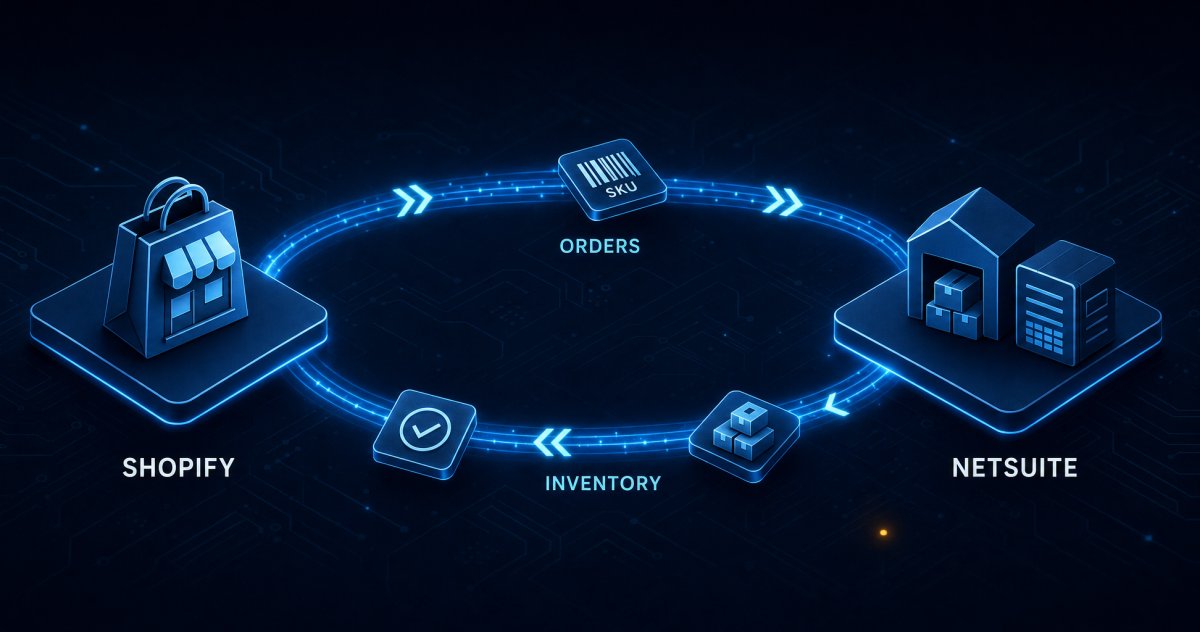
Your Shopify storefront says twelve units are in stock. Your NetSuite item record says four. Somewhere between those two numbers sits a customer who just bought eight of something you cannot ship.
You bought NetSuite to get control of inventory, costing, and fulfillment. Right now, though, it only knows what somebody typed into it, while Shopify keeps selling against its own count. Each system is internally consistent. Together, they drift — usually fastest during your best sales week.
Aonflow keeps the two in step, with dedicated connectors on both sides. This piece walks the decisions and the flow: SKU mapping, who owns availability, multi-location stock, sales-order creation, and fulfillment write-back.
Where Shopify and NetSuite Stop Agreeing
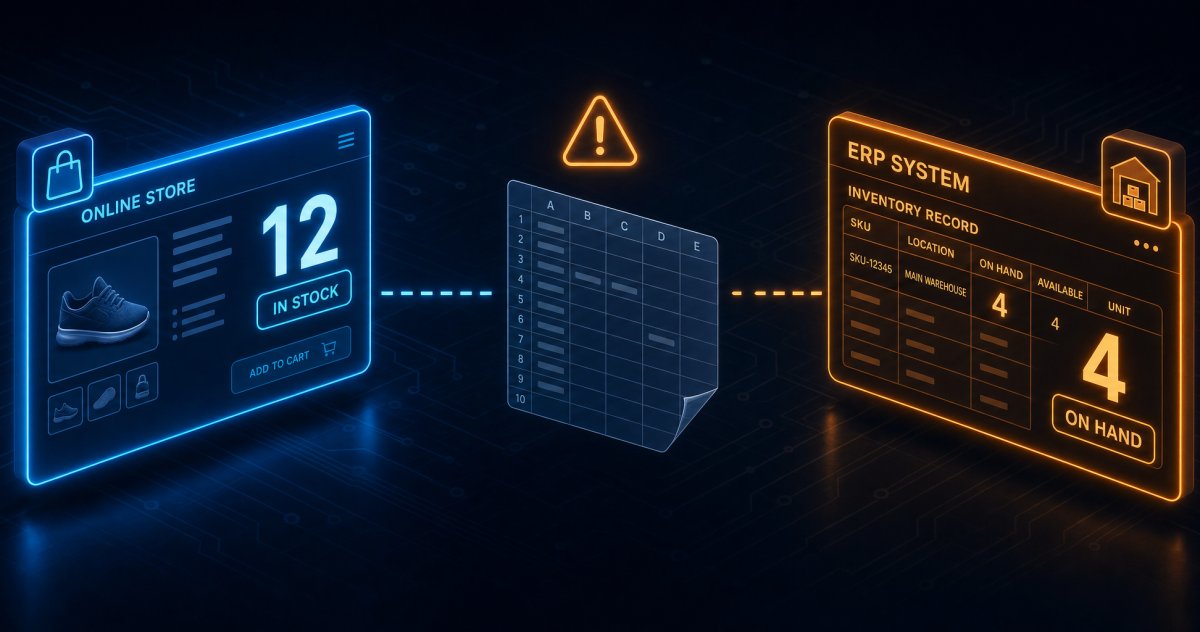
Most inventory problems arrive as a support ticket. A customer orders three of an item, Shopify charges the card, and two days later the warehouse reports that only one unit exists — because Shopify sold against a number that stopped being true hours earlier.
The pattern repeats in predictable places:
- After a stock adjustment in NetSuite — the correction never reaches Shopify.
- After a wholesale order — the same physical stock gets promised twice.
- After a return — restocked units stay invisible to the storefront for days.
- During a promotion — volume outruns whatever sync cadence you relied on.
Each incident is small. Together, they cost margin through refunds, expedited shipping, and goodwill discounts.
Which System Owns Inventory Availability?
NetSuite owns physical stock; Shopify owns the sale. Make that decision before you map a single field, because every ambiguous case later resolves against it.
The distinction matters because the two systems do not mean the same thing by “available.” Shopify tracks several separate states — its guide to managing inventory quantities and states lists available, committed, incoming, on_hand, reserved, damaged, safety_stock, and quality_control. The committed state moves only when orders get created or fulfilled, so an app cannot overwrite it directly.
NetSuite, by contrast, carries quantity and value on the item record. Oracle notes that inventory item records “enable you to track the quantity and value of your inventory.”
From that split, one rule follows: NetSuite publishes availability, Shopify consumes it. Shopify publishes orders, NetSuite consumes them. Inventory sync runs one way. Bidirectional stock sync is possible, but it needs loop suppression and an explicit conflict rule — rarely worth it when the ERP already holds the authoritative stock figure.
That ambiguity forces one more decision. Pick which NetSuite quantity you publish, and which Shopify state you write it to. Write to Shopify’s available state, never to committed — Shopify owns that one.
Mind the timing window, too. Shopify commits units the moment the order is placed, but NetSuite records the shipment only when the item fulfillment posts. In between, those units are committed in Shopify and still on hand in NetSuite. Publish a raw on-hand figure then and you re-inflate availability, recreating the oversell this article opened with. So publish a quantity already net of open sales orders. A buffer cushions counting errors; it does not fix this.
Mapping SKUs to NetSuite Item Records
Nothing else works until identifiers line up. Shopify carries a SKU on the inventory item, and the Admin API documents that SKU as a case-sensitive string. That case sensitivity is a frequent cause of failed matches. NetSuite, meanwhile, identifies items by the Item Name/Number that Oracle’s guidance on creating item records tells you to enter.
Resolve these before you build:
- Pick the match key — Shopify SKU to NetSuite Item Name/Number is the usual pairing.
- Normalize case and whitespace — decide the rule once, then apply it in the mapping.
- Handle variants — each Shopify variant needs its own NetSuite item, or an explicit rule.
- Handle kits and bundles — sync as one item, or as components. Choose deliberately.
- Decide what happens on no match — route to an exception queue and alert. Never guess.
That last point matters most: a flow that silently skips unmatched records hides the problem for weeks.
What a Shopify Order Becomes in NetSuite
In most designs, a paid Shopify order becomes a NetSuite sales order. Oracle describes sales orders as the record of items and services you promise to customers, notes that they do not affect the general ledger, and explains that you fulfill them to track what is delivered and what is pending. That fits an e-commerce order well: demand gets recorded, and the accounting follows at fulfillment and billing.
Map the header: customer (match on email, or create one), order date, currency, shipping address, the fulfilling location, and the Shopify order number, stored so support can trace either direction.
Then map the lines: item, quantity, unit price, and line-level discounts. Decide whether shipping and tax arrive as separate lines or header values, then stay consistent. The finance side — invoices, refunds, revenue timing — is a separate design; our companion piece on closing the Shopify to QuickBooks Online order-to-cash gap covers it.
Multi-Location Stock: Where Most Syncs Break
Few growing merchants hold stock in one place, and this is the step that most often causes trouble. NetSuite’s Multi-Location Inventory feature lets you associate each item and transaction with a location so you can track stock level and value per location and transfer between them. On the other side, Shopify’s InventoryLevel represents the quantities of an inventory item at a specific location.
The trouble starts when nobody decides how the two lists line up, and that decision is commercial, not technical.
Three patterns cover most merchants:
- One-to-one — each NetSuite location maps to a Shopify location. Cleanest, and best if you already fulfill from multiple Shopify locations.
- Subset — only sellable locations sync. Retail stock, quarantine bins, and in-transit locations stay out of the online pool.
- Aggregate — several NetSuite locations sum into one Shopify location. Simple, but you lose location-based fulfillment routing.
Then decide how much of that stock you publish. Many merchants publish availability minus a small buffer, so a counting error does not immediately become an oversell.
How Aonflow Connects Shopify and NetSuite
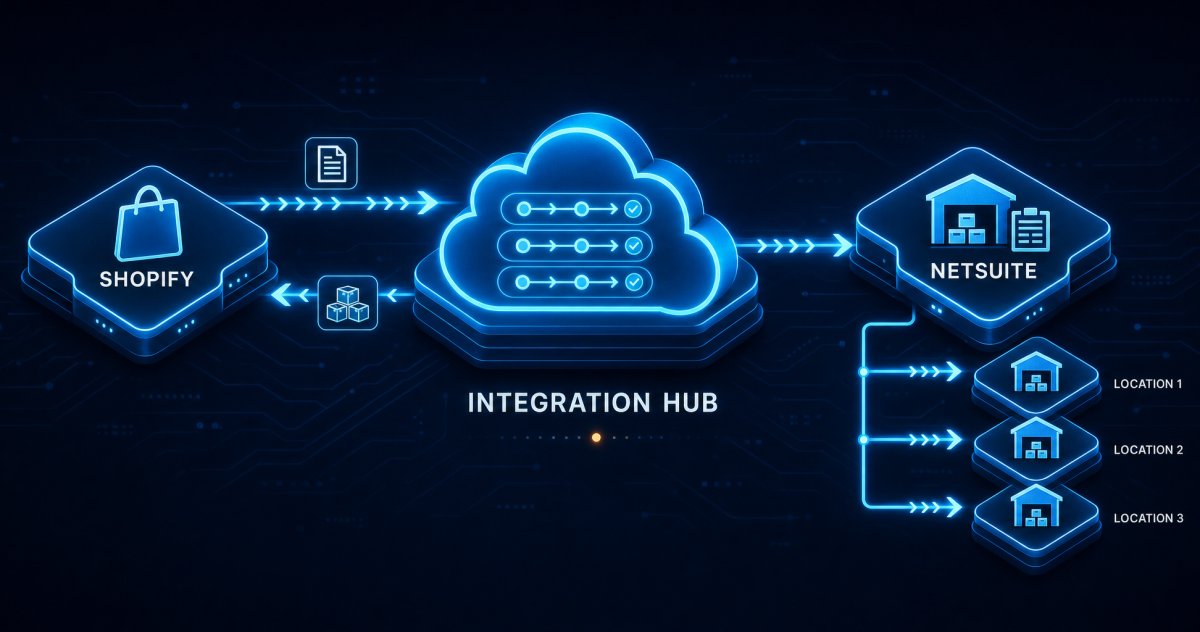
Aonflow provides dedicated connectors for both Shopify and NetSuite, so you configure the flow rather than write it.
A working setup runs three flows:
- Orders down — a new paid Shopify order creates a NetSuite sales order, header and lines mapped as above.
- Availability up — a NetSuite quantity change publishes to the matching Shopify inventory level, after your aggregation and buffer rules, in near real-time.
- Fulfillment back — NetSuite shipments return to Shopify with tracking. (More on that next.)
Aonflow’s AI-assisted mapping speeds the setup, reducing integration time by more than half. It assists the person mapping; a human still decides which field belongs where and approves the flow. Self-healing flows detect and recover flows that begin failing, so a brief API outage does not silently stop your stock sync.
Three operating rules are worth settling now:
- Add a reconciliation pass — a change-driven sync drops an event eventually, so schedule a sweep that compares both sides and corrects drift.
- Keep the direction fixed — never let the storefront overwrite ERP stock, even during an incident.
- Retry, then alert — never fall back to a stale value, because a stale number is worse than a missing one.
Fulfillment Write-Back: Closing the Loop
The loop closes when shipping information reaches the customer. In NetSuite, an item fulfillment is the transaction that records the shipment of some or all items on an order, initialized from the sales order. The phrase “some or all” is doing real work — partial shipments are normal.
On the Shopify side, Shopify’s fulfillment mutation marks items as fulfilled and carries tracking company, number, and URL, plus a flag controlling whether the customer is notified.
So the write-back flow does three things:
- Detects the NetSuite item fulfillment and identifies the originating Shopify order.
- Creates the Shopify fulfillment for the matching lines only — partials stay partial.
- Carries the tracking details and decides whether Shopify emails the customer.
Get partials right and you avoid a common complaint here: a customer told their whole order shipped when half of it is still on the shelf.
Put together, the loop looks like this. An apparel brand maps two NetSuite warehouses one-to-one to two Shopify locations, excludes the returns bin until stock is inspected, and publishes availability minus a two-unit buffer. A flash sale opens. Orders flow into NetSuite as sales orders, and availability falls as each fulfillment posts. When the East warehouse runs out of a size, its Shopify location drops to zero and the storefront routes the rest of the demand to West. Tracking numbers appear in Shopify as staff pick. Nobody touched a spreadsheet.
Security, Monitoring, and Governance
Inventory and order data is business-critical, so the plumbing matters as much as the outcome. Aonflow offers encryption, role-based access control, and audit trails, so you can see who changed a flow and what it did. Data in transit moves over HTTPS, and HTTP access is available through read-only tokens. For security detail beyond this posture, ask the Aonflow team. Dashboards, execution logs, and alerts tell you whether last night’s sync actually ran.
Decide what deserves a human, too. An unmatched SKU is a data problem, so alert immediately.
That visibility matters more than it sounds. The worst integration failure is not the loud one. It is the quiet one that stops updating stock on Friday and gets noticed on Tuesday.
Frequently Asked Questions
Should inventory sync run in both directions?
No. Let NetSuite publish availability and Shopify consume it. Bidirectional stock sync can create loops, because each system reacts to the other’s update.
How fast is near real-time?
It depends on how the sync is set up and on the API limits of the connected systems. Aonflow keeps data aligned in near real-time, and a reconciliation pass catches anything the change stream missed.
Conclusion — The Bottom Line
A Shopify to NetSuite integration is mostly a set of decisions: who owns availability, how SKUs match, how locations line up, how much stock you publish, and what a partial shipment means on the storefront. The build follows from those answers.
Aonflow gives you dedicated connectors on both sides, near real-time sync, and monitoring you can actually read. None of it replaces either system. Your ERP stays the system of record for stock and cost, your storefront stays the system of record for the sale, and Aonflow removes the human courier between them.
If you have just brought NetSuite online and your storefront still runs on its own count, start with the ownership question. Then explore the connectors at aonflow.com, start for free, or request a walkthrough against your own stack.
Aonflow iPaaS – Free for First 3 Months!
Build and run up to 1,500 transactions monthly with no cost. No payment info needed!