
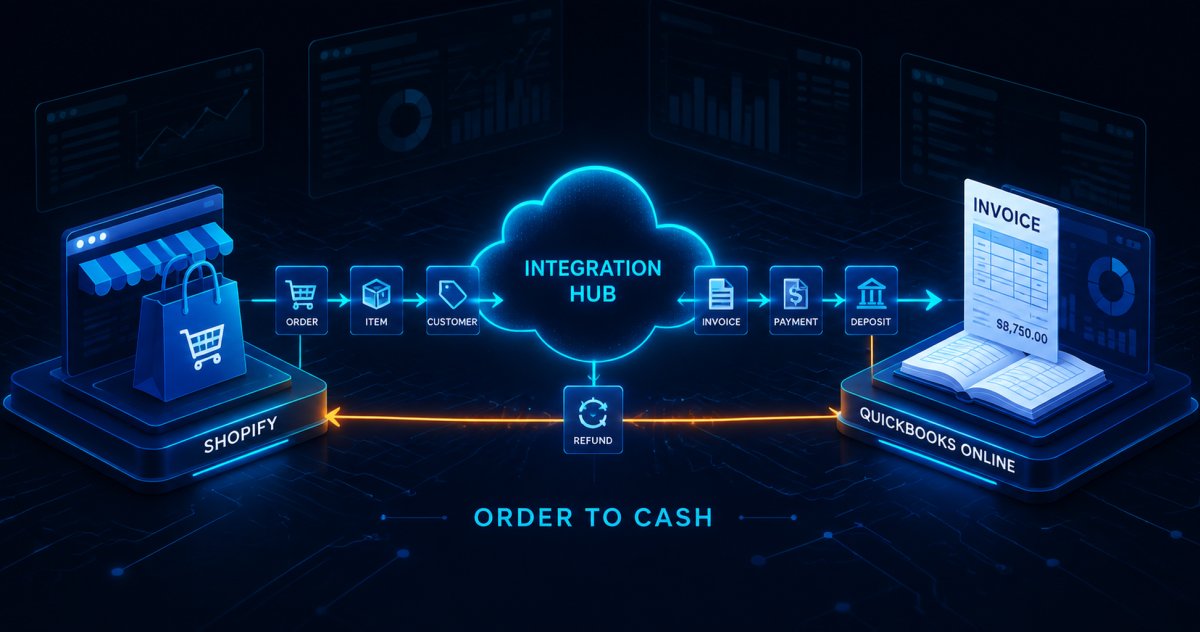
Your storefront works. Orders arrive through Shopify, payments clear, and customers get their shipping confirmations. Finance, meanwhile, still lives in QuickBooks Online. Between those two systems sits a person with a spreadsheet export and a free afternoon.
That person is your order-to-cash gap. Every order they re-key can land in the wrong period, carry the wrong tax figure, or lose a discount along the way. Nobody notices in week one. By month-end close, the difference between what Shopify says you sold and what QuickBooks says you invoiced has become a reconciliation project.
Aonflow closes that gap without a development project. Shopify and QuickBooks Online both have dedicated connectors, so a new order becomes a finance document in near real-time — mapped the same way every time, logged, and visible. Below is where the gap opens, and the specific mapping decisions that close it.
Where the Order-to-Cash Gap Opens
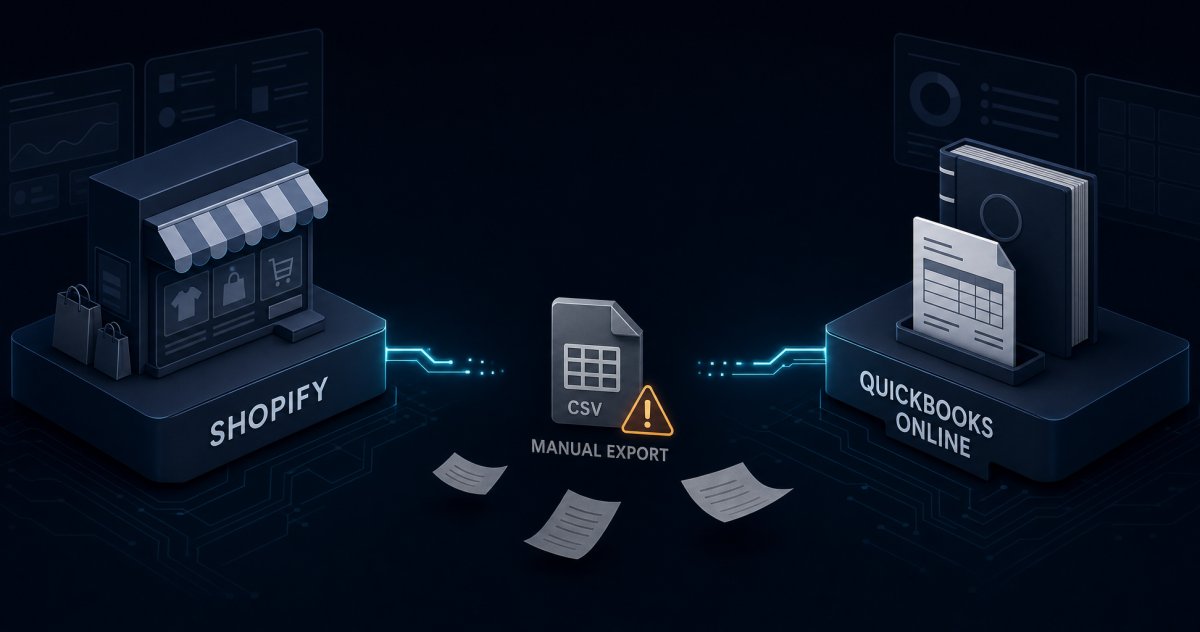
The gap is not really about typing. It opens because the two systems describe the same sale in different vocabularies.
Shopify records an order the way a storefront thinks. Its order object carries a tax_lines array listing each applicable tax, a taxes_included flag showing whether tax already sits inside the listed price, and a discount_applications array covering manual, code-based, and script-based reductions (Shopify Order reference). Payment and fulfillment each carry their own separate state.
QuickBooks Online records the same sale the way an accountant thinks — as a document with a customer, a date, line items, and a tax total that has to reconcile. Translating between them is therefore not a copy. It is a mapping decision, and somebody has to make it identically on every order.
Because a person makes that decision by hand, it drifts. One week shipping gets its own line. The next week someone folds it into the product total. Both look fine in isolation, but neither reconciles cleanly at close. This is the same pattern that shows up wherever disconnected systems quietly cost a business money — the tools work, and the space between them does not.
What a Shopify Order Should Become in QuickBooks Online
This single decision shapes everything downstream, so make it deliberately rather than by default.
Most storefront orders are paid at checkout. A paid order therefore usually maps to a document that records the sale and its payment together, rather than an invoice that needs a payment applied afterwards. Orders on terms — wholesale, net-30, purchase-order business — behave differently, and generally want an invoice plus a matching payment. Intuit exposes a distinct entity for each document type, including Invoice, Credit Memo, Refund Receipt, and Payment.
Write the rule as an explicit branch in the flow:
- Paid at checkout → a sales document recording sale and payment in one step.
- On terms or unpaid → an invoice, with the payment applied when it clears.
- Zero-value or test orders → skipped, by a deliberate filter.
- Anything else → routed to a review queue rather than guessed at.
That last branch matters more than it looks. An integration that refuses to guess is an integration finance can trust at close.
Mapping the Fields That Actually Cause Errors
Four fields cause most of the divergence, so take them in order.
Line items. First, map each Shopify line to a product or service line, keyed on SKU. A missing SKU should raise an exception rather than fall into a catch-all item, because a catch-all item hides the problem for months.
Discounts. Shopify’s discount_applications array covers manual, code-based, and script-based discounts, while total_discounts reports the discount amount allocated to the line item in the shop currency. Decide whether a discount reduces the line or appears as its own line. Then apply that choice consistently, because mixing the two makes gross revenue meaningless.
Shipping. Shipping is revenue, and it is often taxable. Give it a dedicated line mapped to a dedicated income account. Never fold it into the product total.
Tax. Slow down here. Shopify tells you whether tax already sits inside the price via taxes_included, and it itemizes each tax in tax_lines. QuickBooks Online, however, handles sales tax through its own configuration, and that configuration differs by locale (Intuit sales tax guidance). Check Intuit’s documentation for your locale and company configuration to see how you should supply tax figures, then validate on real orders before go-live. Do not assume the two systems agree by default.
Also settle the header early. Next, match customers on email with a create-if-missing rule. Use the order’s creation date rather than the sync date, or a Monday catch-up will move Friday’s revenue into the wrong period. Carry the Shopify order name through as the document number, so a person in either system can find the other. Finally, map Shopify’s ISO 4217 currency code explicitly.
Refunds, Partial Fulfillments, and Cancellations
Straightforward orders survive manual handling. Exceptions do not, which is exactly where an integration earns its keep.
Refunds. A Shopify refund is its own object, carrying refund_line_items, transaction records for the money returned, and per-line restock instructions. It can cover a subset of items, a custom quantity, or a specific shipping amount (Shopify Refund reference). Map full and partial refunds to the matching QuickBooks credit document, referencing the original sale so the pair stays linked.
Partial fulfillments. Shopify marks an order partial once at least one line has shipped, while the rest waits. Decide whether finance recognizes the sale at order time or at shipment. Then have the flow update the existing document rather than create a second one, because duplicate documents are much harder to unwind than late ones.
Cancellations. A cancelled order that never reached QuickBooks needs no action. One that did needs an explicit reversal. Distinguish those two cases in the flow, not in somebody’s memory.
Partial payments. Shopify’s financial_status runs through pending, authorized, partially_paid, paid, partially_refunded, refunded, and voided. Map only the states your business actually uses, and route the rest to review.
Handled manually, these exceptions are what goes missing, because the refund usually arrives after the export has run. Revenue then looks higher than it is.
What Near Real-Time Sync Means at Month-End Close
“Near real-time” needs a number attached to it, or it becomes an argument in November.
Aonflow keeps data aligned across connected systems in near real-time. Confirm the latency you can expect at your own order volumes with the Aonflow team, then agree it with finance. Close, though, asks a different question — there the period boundary matters more than raw speed.
So define three things explicitly before go-live:
- Sync latency in normal operation — what “current” means to your team.
- The period cutoff rule — which timestamp decides the accounting period, and what happens to an order placed at 23:58 on the last day of the month.
- The catch-up rule — how the flow behaves after an outage, and whether it backfills by order date.
Write these down. They are the questions your auditor will ask, and answering them in advance costs an hour.
How Aonflow Connects Shopify and QuickBooks Online
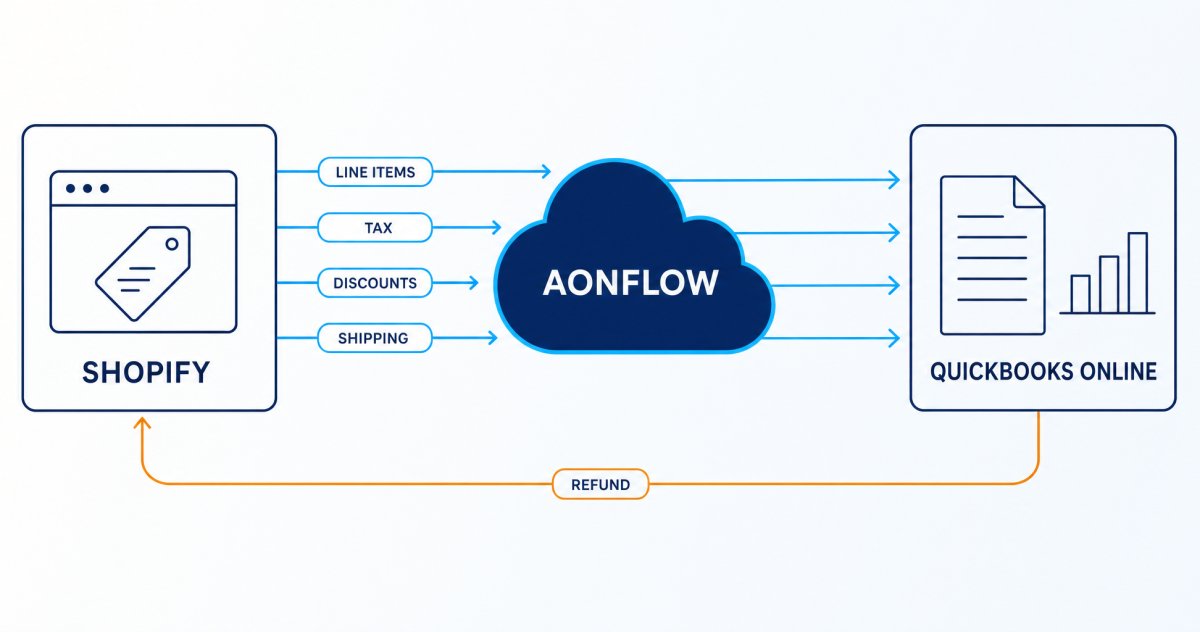
The work above is configuration, not development. That distinction is the practical point of an integration platform.
Aonflow gives the team building this flow:
- Dedicated connectors for both sides. Shopify and QuickBooks Online both sit in Aonflow’s pre-built connector library, so you configure rather than code.
- Near real-time data sync. Finance sees the day as it happens, rather than as it looked at the last export.
- AI-assisted field mapping. Aonflow assists the mapping work, which reduces integration time by more than half.
- No-code flow building. Business and IT users build and run flows themselves, without waiting in a developer queue.
- LLM-based flow building. Your team can also build flows through natural-language instructions.
- Self-healing flows. Aonflow detects flows that are breaking or failing and recovers them automatically.
- Custom connectors. If a third system in your stack has no dedicated connector — a 3PL, a legacy tool — you can build one.
Because the mapping lives in a flow rather than a habit, it stays consistent when the person who built it is on holiday.
Security, Monitoring, and Governance
Order and finance data deserves care, so it is worth being precise about what this setup provides.
Aonflow offers encryption, role-based access control, and audit trails, so you can see who changed a flow and what it did. Data in transit moves over HTTPS, and HTTP access is available through read-only tokens. Dashboards, logs, and alerts cover flow execution, so a broken sync announces itself rather than surfacing at close. For security detail beyond this posture, ask the Aonflow team.
Finally, governance matters as much as the mechanics, so settle three questions during setup:
- Who owns the flow — one named person, not a department.
- Who receives the alert when an order fails to write.
- Where failed orders wait — a review queue beats somebody’s inbox.
Frequently Asked Questions
Do I need a developer to connect Shopify and QuickBooks Online?
No. Both systems have dedicated Aonflow connectors, so the work is configuration — mapping fields and defining rules — not code.
Should a Shopify order become an invoice or a paid sales document?
It depends on how the order was paid. Orders paid at checkout usually map to a document recording sale and payment together, while orders on terms map to an invoice with a payment applied later.
How are partial refunds handled?
Shopify records a refund as its own object covering a subset of line items. The flow maps it to the matching QuickBooks credit document, referenced against the original sale.
How fast is the sync?
Aonflow keeps connected systems aligned in near real-time. Define your own latency and cutoff expectations before go-live.
Conclusion — The Bottom Line
The order-to-cash gap between Shopify and QuickBooks Online is not a tooling problem. Both tools do their jobs. The gap opens in the manual translation between them, and it widens fastest on the orders that matter most — the refunds, the partial shipments, the promotion weeks.
Closing it comes down to six decisions: what the order becomes, how the header maps, how you handle tax and discounts, what happens to exceptions, what near real-time means at close, and who watches the flow. Therefore, encode those once and the gap stays closed. Leave them to whoever runs the export this week, and it reopens every week.
If you have recently added Shopify or QuickBooks Online and the other side still catches up by hand, start there. Explore how Aonflow connects them, or request a demo to walk the mapping end to end.
Aonflow iPaaS – Free for First 3 Months!
Build and run up to 1,500 transactions monthly with no cost. No payment info needed!